Effects
Select a layer and open its Effect and Position sections.
Style (text)
Section titled “Style (text)”Under Effect → Style:
- Outline, Drop shadow, Soft focus, Ghost / fade.
- Emboss (raised) and Deboss (pressed).
- Carve into background and Emboss from background: the letters take the texture of the background behind them, like a name carved into wood or pressed into leather.
Blend mixes a layer with what’s beneath it: Multiply makes a logo look printed on paper or fabric, Screen lightens, Overlay adds contrast, and so on.
Wrap bends a layer onto a product:
- Cylinder (cup / bottle): wraps the layer around a round object. Move the layer sideways to turn it around the bottle.
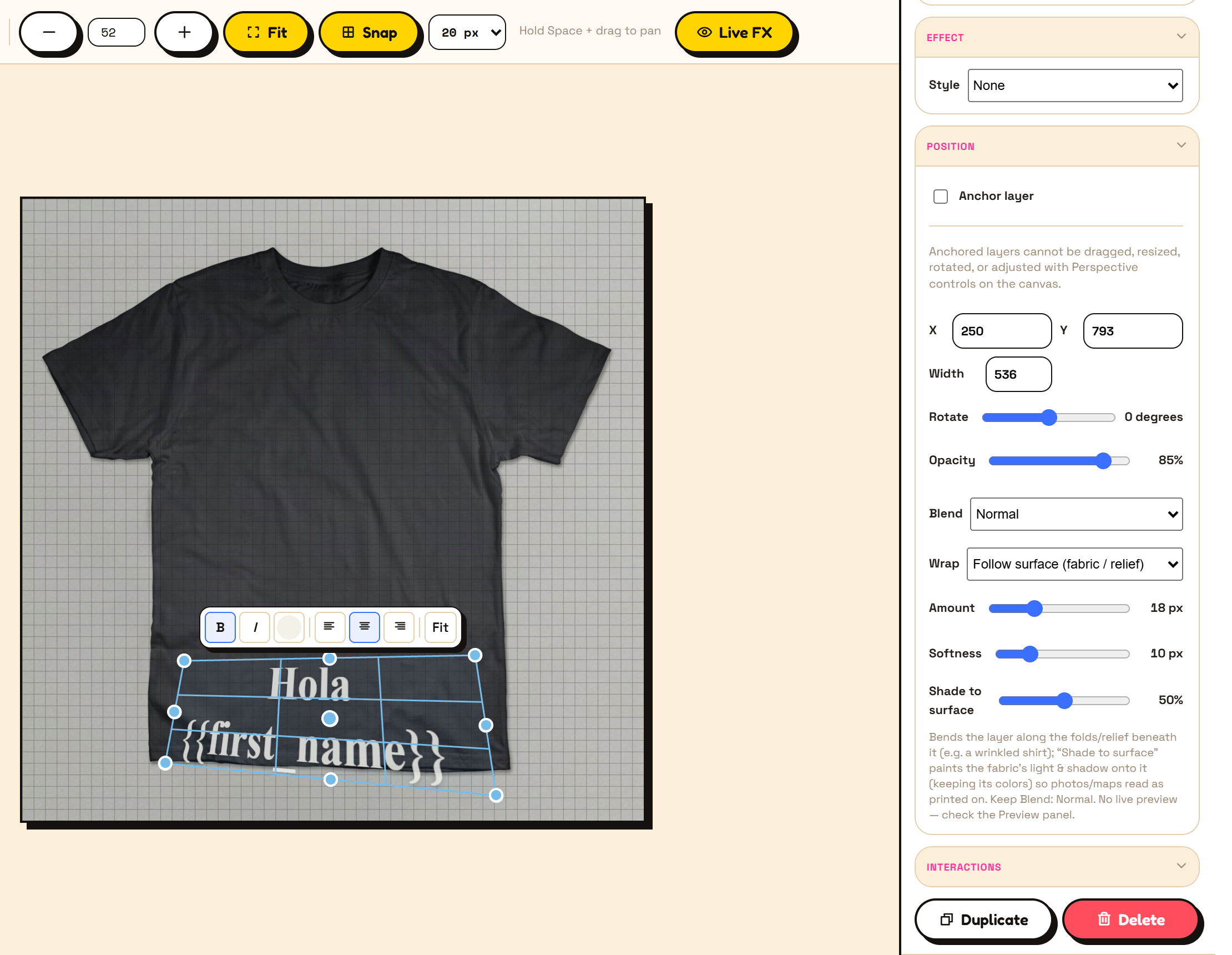
- Follow surface (fabric / relief): bends the layer along the folds of whatever is underneath, such as a wrinkled shirt. Amount sets how strongly it bends, Softness smooths it, and Shade to surface paints the fabric’s light and shadow onto it.
The canvas shows only a rough version of wrap effects while you edit. Check the real result in the Preview panel, or turn on Live FX.
Perspective and motion
Section titled “Perspective and motion”Under Interactions:
- Perspective lets you drag a layer’s four corners on the canvas, to fit it onto an angled surface such as a sign or a box.
- Motion sequence animates layers: fade in, slide up, pop in, pulse and more. Animation needs Render as set to Animated GIF (best for email).
Next: Preview and save.